Searching for an RSP-style Holi edit? This page gives colorful festival prompt ideas, couple and group options, color recipe notes, caption alternatives, and safety reminders. Keep the edit respectful, use licensed or original materials, and avoid copied overlays, offensive symbols, or private photos without consent.
RSP Editing Holi prompts are text recipes for colorful festival photo edits. A good prompt should describe bright powder, daylight, joyful expression, clean motion, respectful festival context, face clarity, and a final social crop. Use your own or licensed photos, overlays, captions, and music. Do not copy another creator’s powder overlay, sticker pack, watermark, or project file. If real people appear in the photo, get permission before editing or posting.
Before you start
Useful notes for safer RSP-style edits
• Best for Holi portraits, couple edits, group scenes, DP crops, and festival reel covers.
• Prompt variables should include powder color, outfit, daylight, background, pose, expression, and crop.
• Use licensed or self-made overlays only.
• Keep captions positive and respectful.
• Avoid offensive symbols, copied stickers, private photos without consent, and unsafe file downloads.
Popular searches
Common RSP editing searches covered here
ai editor rsp editing holiRSP Editing Holi promptsHoli festival color promptsHoli DP editing ideas
Editing guide
How to use this RSP-style resource
Holi Prompt Variables That Actually Matter
A strong Holi prompt needs more than “add colors.” Choose the subject first, then set the color powder, outfit, background, light, motion, expression, and final crop. For a DP image, keep the face clear and use color around the subject instead of across the eyes. For a couple or group photo, keep every face visible and avoid turning a private moment into a public-looking scene without consent.
Useful variables: bright pink and yellow powder, white or pastel outfit, daylight courtyard, street celebration, soft motion blur, joyful expression, warm cinematic finish, square DP crop, or vertical reel cover.
Sample Holi Prompt Blocks
Solo portrait prompt: Create a realistic RSP-style Holi festival portrait of [subject], bright colored powder in the air, white outfit with soft color marks, joyful expression, daylight background, clean face detail, warm cinematic color, social media portrait crop, no text, no logo, no watermark.
Couple prompt: Create a respectful RSP-style Holi couple photo with two consented subjects, colorful powder around them, natural smiles, bright daylight, balanced face detail, warm festive color, clean background, no text, no logo, no watermark.
Group prompt: Create a friendly Holi group portrait with 3 to 4 people, colorful powder in the background, clear faces, joyful pose, festive daylight, realistic skin texture, social media-ready crop, no copied sticker, no watermark, no logo.
Festival Color Safety and Skin Tone
Festival edits often fail when the color becomes too strong on the face. Keep powder bright in the background and clothing, but protect skin tone and eyes. If reds, oranges, or pinks look harsh, reduce saturation around the face and recover highlights. A good Holi color pass feels bright, not muddy or plastic.
For DP images, crop first and tune colors after the subject is centered. For reels, keep caption space above or below the face. For couple and group edits, balance color across all subjects so one person does not look over-edited.
Caption Alternatives for Holi Edits
Use short captions that feel positive and safe. Good options include: “Color, light, and a little joy.” “Festival mood, rebuilt by hand.” “Bright day, clean edit.” “Holi color idea, original recipe.” “Made with my own photo and manual color direction.”
Avoid captions that imply official templates, copied creator packs, hidden downloads, or unsafe one-click files.
What to Avoid in Holi RSP Edits
Avoid offensive symbols, stereotypes, copied festival overlays, watermark imitation, brand logos, private photos without permission, non-consensual couple edits, and unknown file downloads. If you use music, overlays, fonts, or background assets in a public post, use material you created or have the right to publish.
Quick copy
Prompt ideas you can adapt
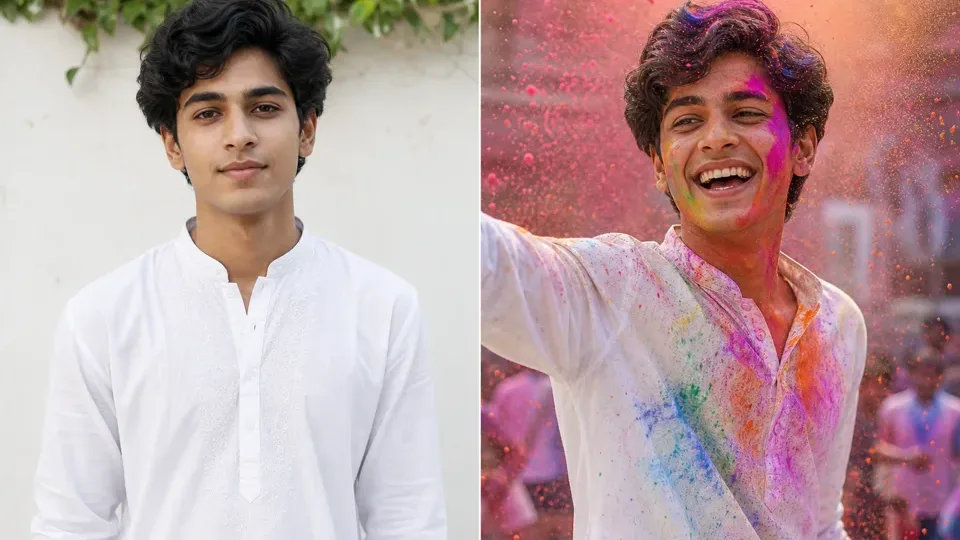
Synthetic before-after preview for Holi RSP editing prompt ideas: plain portrait direction → bright festival color, powder burst, and respectful festive styling.Synthetic illustrative preview only. AIEditorRSPEditing provides text prompts, settings, and manual workflow guidance; no upload, no generation on this site, no download, no official template or preset file, and no same-face guarantee.
festival holimedium
Holi Color Burst Portrait
Best for: Holi festival post, colorful DP
Create an RSP-style Holi festival portrait with vibrant colored powder in the air, joyful expression, white traditional outfit with colorful stains, bright daylight, dynamic motion, realistic face, cinematic festive color grading, high-detail social media photo.
outfitpowder colorsbackground crowd or solomoodcamera angle
Keep cultural respect in wording; avoid stereotypes or offensive elements.
Prompt only; no festival stock image is included.
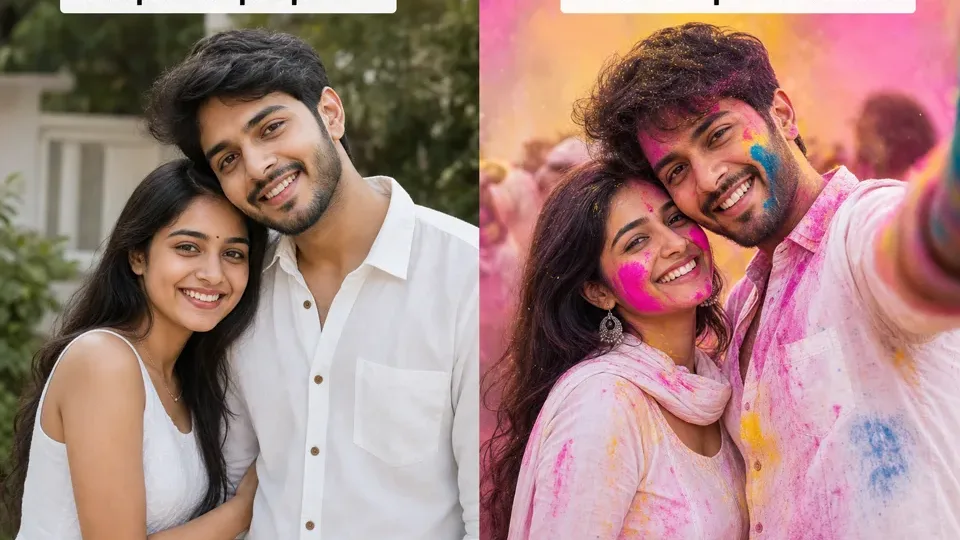
Synthetic before-after preview for Holi couple prompt ideas: plain couple concept → colorful powder clouds, bright festival mood, and clear portrait framing.Synthetic illustrative preview only. AIEditorRSPEditing provides text prompts, settings, and manual workflow guidance; no upload, no generation on this site, no download, no official template or preset file, and no same-face guarantee.
festival holi couplemedium
Holi Couple Festival Edit
Best for: Holi couple photo
Create an RSP-style Holi couple portrait with colorful powder clouds, bright festive background, joyful natural expressions, coordinated white outfits, cinematic daylight, realistic faces, high-detail social media composition.
powder colorsoutfitsbackgroundposemood
Keep festival context respectful.
Prompt only; use consented photos only.
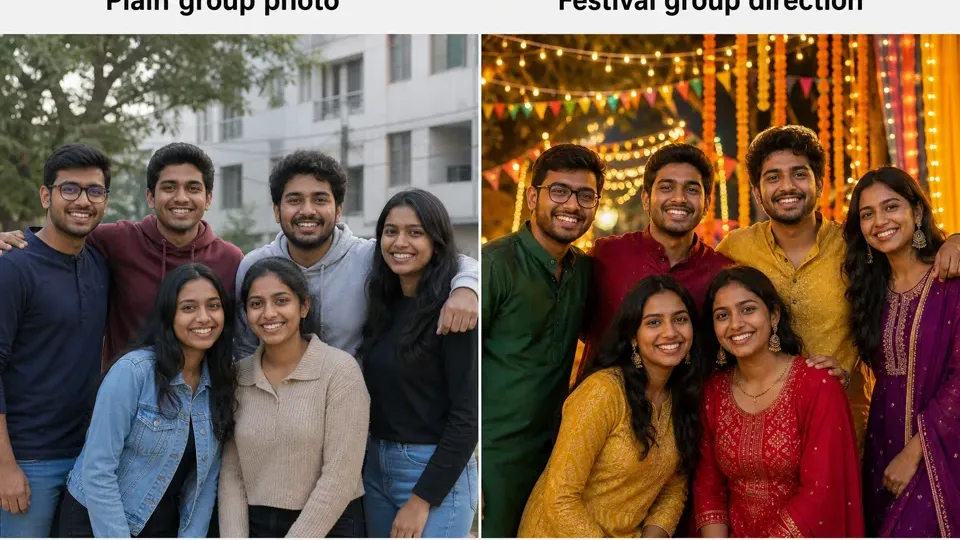
Synthetic before-after preview for friendship group prompt ideas: plain group photo direction → colorful festival mood, balanced faces, and social post framing.Synthetic illustrative preview only. AIEditorRSPEditing provides text prompts, settings, and manual workflow guidance; no upload, no generation on this site, no download, no official template or preset file, and no same-face guarantee.
groupmedium
Friendship Group Festival Edit
Best for: Group photo, festival post
Create an RSP-style group friendship photo during a colorful festival, 3-4 friends laughing together, vibrant powder in background, cinematic daylight, realistic faces, balanced composition, high-detail social media edit.
group sizefestival colorsoutfitsbackgroundpose
Works better with fictional subjects or consented group photos.
Consent required for real group photos.
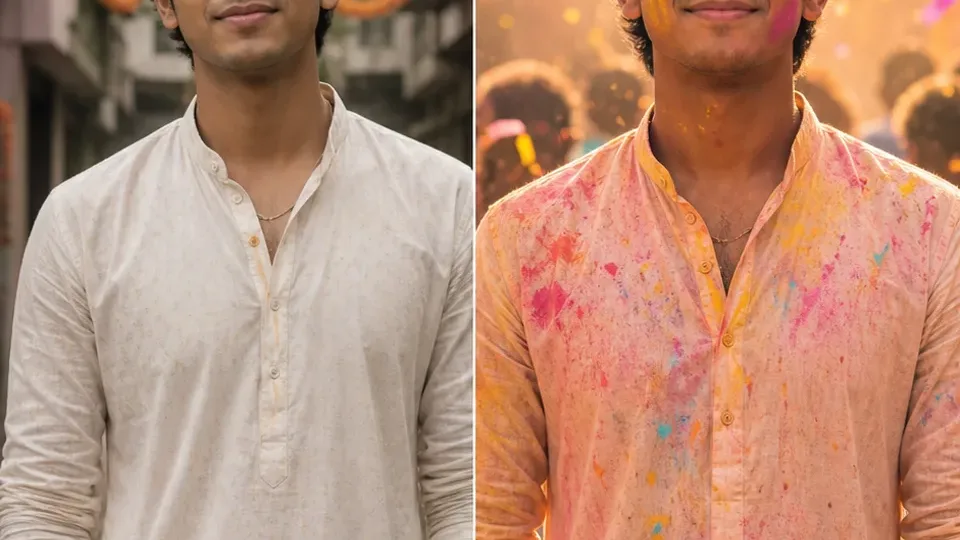
Synthetic before-after preview for festival reveal template ideas: simple portrait frame → colorful reveal direction, beat moment, and safe story layout.Synthetic illustrative preview only. AIEditorRSPEditing provides text prompts, settings, and manual workflow guidance; no upload, no generation on this site, no download, no official template or preset file, and no same-face guarantee.
template recipemedium
Festival Reveal Story Recipe
Best for: Festival story, colorful reveal edit
Plan a bright festival reveal edit: start with a simple portrait, add a licensed color overlay, reveal the final festive frame on the beat, keep faces clear, use warm daylight, and avoid copied stickers or third-party logos.
festival colorsoverlay sourcebeat momentportrait cropfinal mood
Best used as a safe recipe idea for rebuilding your own short-form edit.
Use original or licensed overlays and consented photos.
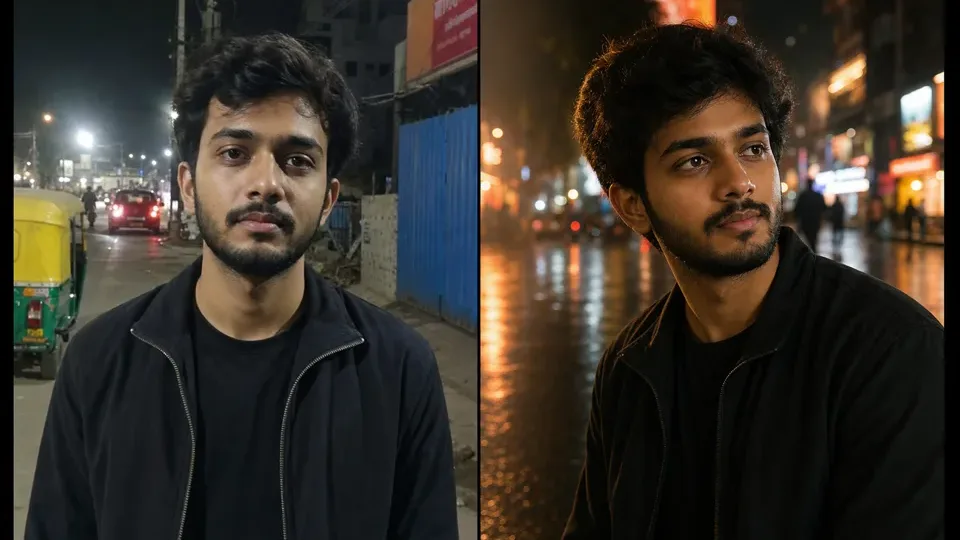
Synthetic before-after preview for AI boy RSP editing prompt ideas: plain portrait direction → cinematic street DP lighting, sharper crop, and social profile mood.Synthetic illustrative preview only. AIEditorRSPEditing provides text prompts, settings, and manual workflow guidance; no upload, no generation on this site, no download, no official template or preset file, and no same-face guarantee.
boylow
Cinematic Street Portrait Boy
Best for: Instagram DP, attitude portrait, street look
Create a cinematic RSP-style portrait of a young man standing on a neon-lit city street at night, wearing a black jacket, confident pose, soft rain reflections on the road, shallow depth of field, dramatic rim light, realistic skin texture, high-detail social media photo edit.
Works as a base prompt for ChatGPT image, Gemini image, Midjourney, or other AI image tools. Replace subject details before use.
Original prompt text only; do not use copyrighted celebrity likenesses or brand logos.
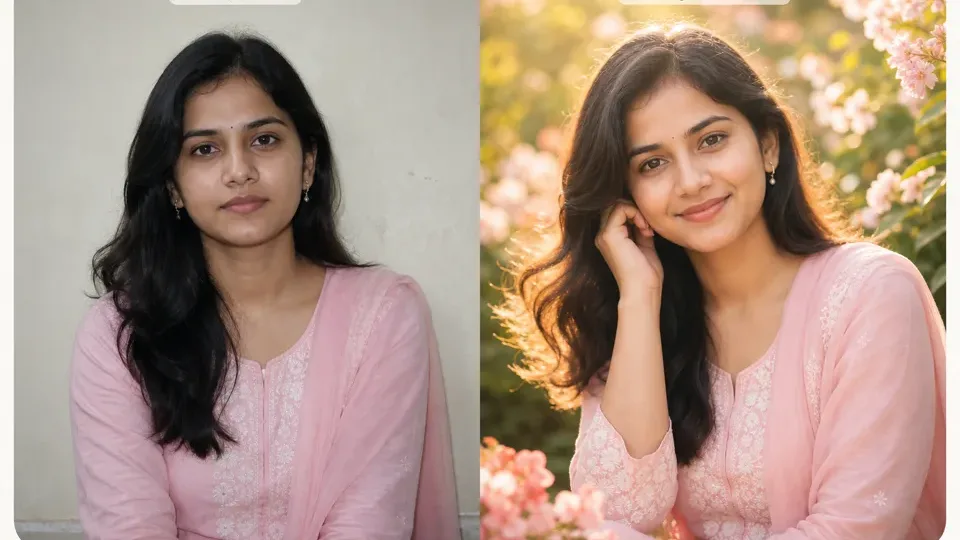
Synthetic before-after preview for AI girl RSP editing prompt ideas: simple portrait direction → soft floral light, pastel styling, and profile-ready framing.Synthetic illustrative preview only. AIEditorRSPEditing provides text prompts, settings, and manual workflow guidance; no upload, no generation on this site, no download, no official template or preset file, and no same-face guarantee.
girllow
Aesthetic Floral Girl Portrait
Best for: Aesthetic profile photo, soft portrait
Generate an RSP-style aesthetic portrait of a young woman in a pastel outfit, standing near soft flowers and warm sunlight, dreamy background blur, natural smile, cinematic color grading, detailed hair, realistic face, elegant social media photo edit.
outfit colorflower typetime of daymoodcamera lens
Add your own outfit and background details for a more personal result.
Original prompt text; use personal or licensed reference photos only if uploading elsewhere.
Make it your own
Change the subject, outfit, background, lighting, camera angle, and mood.
Use the prompt as a starting point. Swap in your own scene details, avoid copied creator material, and check the output before posting.
Use bright powder, daylight, joyful expression, clean motion, readable face detail, and respectful festival context. Avoid offensive symbols, copied overlays, and watermarks.
Can I use color powder overlays?
Yes, if you create them or have a license. Do not copy overlays from another creator’s pack without permission.
How do I keep a Holi edit respectful?
Use positive festival context, avoid stereotypes, use your own or licensed materials, and review the final image before sharing it publicly.
Can I make a Holi couple photo?
Yes, with consent from both people. Keep the colors and pose natural, and avoid turning a private photo into a public-looking scene without permission.
What should I avoid in Holi editing prompts?
Avoid private photos without consent, copied sticker packs, offensive symbols, logos, watermarks, unsafe file downloads, and captions that imply official or copied templates.