RSP Editing Lightroom Preset Recipes for 2026 Photos
These are Lightroom-style RSP editing recipes you can copy as starting settings for your own photos. They are not preset files or downloads. Adjust exposure, white balance, skin tone, and sharpness per photo, because no recipe can guarantee the same result across every image.
Manual settings, not files: these AI Editor RSP Editing Lightroom preset recipes are starting-point color directions you rebuild by hand. Use them after your prompt, photo, or DP crop is ready. This page does not provide DNG files, XMP files, APKs, mods, preset packs, downloads, or one-click guaranteed results.
Before you start
Useful notes for safer RSP-style edits
• Preset here means a repeatable settings recipe, not a file package.
• Best use cases: portraits, DP crops, girl and boy edits, couple photos, festival posts, and before/after reels.
• Start with color direction, then tune skin tone and face clarity per image.
• Pair prompts first, color recipes second: scene and subject before the final grade.
• Avoid unknown files that promise one-click results or copied creator packs.
Popular searches
Common RSP editing searches covered here
rsp editing ai 2026 presetsrsp editing preset aiai editor rsp editing lightroom presetsRSP-style Lightroom color recipes
Copy settings
Warm DP Lightroom-style settings
Manual settings only — no DNG, XMP, APK, mod, preset file, or creator pack download. Values are starting points; adjust per photo.
Synthetic illustrative previews only · recipe-only resource · no photo upload · no image generation on this site · no same-face guarantee · no downloadable preset/template files · unofficial and not affiliated with CapCut, Lightroom, Adobe, ByteDance, or RSP creators.
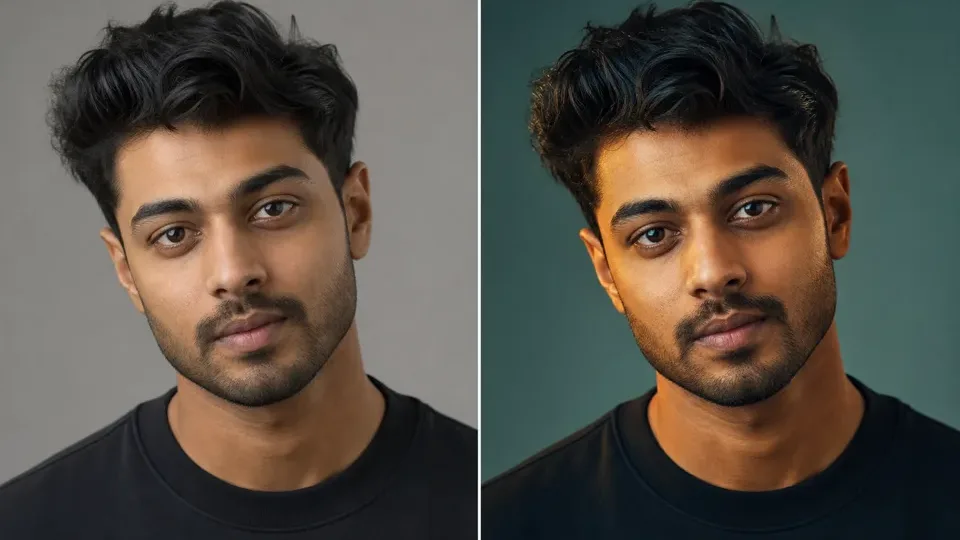
Flat cool lightWarm DP tone
Synthetic tone preview: flat cool lighting → warmer highlights, cleaner contrast, and softer DP-style focus.Illustrative preview only. This is a synthetic example for manual starting settings, not a real user result, preset file, or guaranteed transformation. Results vary by photo, app, and manual adjustment. No upload or same-face guarantee.
Warm DP portrait
Best for: Profile photo, clear-face DP, warm social portrait
Use this when the original photo is slightly flat and needs warmth, face clarity, and soft contrast. Starting point only — adjust per photo.
Before: Cool flat lighting, low warmth, weak contrast, and a portrait that feels unfinished on mobile.
After direction: Warmer highlights, cleaner contrast, softer shadow depth, and a more polished DP-style tone.
warmer highlightssofter contrastface focuscontrolled shadowsmanual settings only
Exposure
+0.20
Raise only if the face is underexposed.
Contrast
+12
Keep contrast moderate for natural skin.
Highlights
-25
Pull back bright sky or forehead shine.
Shadows
+18
Recover hair and dark clothing detail.
Whites
+8
Add clean brightness without clipping.
Blacks
-12
Add depth to the DP frame.
Temperature
+6
Add warm RSP-style tone.
Tint
+3
Balance green skin casts.
Vibrance
+16
Boost color gently.
Saturation
+4
Keep skin realistic.
Texture
+8
Add face and outfit detail.
Clarity
+6
Use lightly; too much can look harsh.
Dehaze
+3
Add a small cinematic edge.
Vignette
-10
Focus attention on the face.
Grain
+6
Optional soft social texture.
Sharpening
+35
Good starting point for mobile portraits.
Cinematic street portrait
Best for: Night lights, street background, dramatic DP
Use this for urban or night portraits where you want warm highlights and deeper shadows. Starting point only — adjust per photo.
Exposure
-0.05
Keep night mood; brighten face locally if needed.
Contrast
+18
Adds drama to street lighting.
Highlights
-35
Protect neon or bright lamp areas.
Shadows
+10
Recover enough detail without flattening.
Whites
+5
Small lift for light points.
Blacks
-20
Stronger depth for cinematic look.
Temperature
+8
Warm up lamps and skin.
Tint
+5
Reduce green night casts.
Vibrance
+20
Make background lights pop.
Saturation
+2
Avoid oversaturated skin.
Texture
+10
Add outfit and hair detail.
Clarity
+10
Use carefully on faces.
Dehaze
+7
Adds punch to night background.
Vignette
-18
Stronger focus on subject.
Grain
+10
Film-style texture.
Sharpening
+40
Helps mobile details after compression.
Clean bright social look
Best for: Daylight portraits, student photos, simple Instagram posts
Use this when you want a clean, bright, less dramatic RSP-style edit. Starting point only — adjust per photo.
This page does not provide Lightroom preset files, DNG files, XMP files, APKs, mods, creator packs, or official Adobe assets. It provides manual settings you can copy and adjust.
P1 safe recipe previews
Route-specific RSP preview cards
Each card maps one prompt, settings recipe, or manual workflow to a synthetic illustrative preview and a copyable starting point.
Synthetic illustrative previews only · recipe-only resource · no photo upload · no image generation on this site · no same-face guarantee · no downloadable preset/template files · unofficial and not affiliated with CapCut, Lightroom, Adobe, ByteDance, or RSP creators.
Best for: Portraits that already have a usable face angle and need a warmer social tone, softer contrast, and cleaner mobile presentation through manual Lightroom-style settings.
Before: Cool flat lighting, weak warmth, low shadow depth, and a portrait that feels unfinished on mobile.
After direction: Warmer highlights, controlled shadows, softer contrast, natural skin protection, and a more polished DP-style tone.
warmer highlightscontrolled shadowssoft contrastskin tone protectionmanual settings only
Synthetic illustrative preview only. Manual settings are starting points, not a preset file, DNG, XMP, APK, mod, official asset, downloadable file, or guaranteed result. Adjust per photo.
Reviewed updates
Recently added safe RSP recipes
Lightweight updates from AIEditorRSPEditing. These are reviewed recipe entries, not a real-time feed, community scrape, download list, or external template index.
Updates are reviewed recipe notes only. AIEditorRSPEditing does not provide uploads, image generation on this site, APKs, mods, preset files, template files, creator packs, official assets, or same-face guarantees.
Editing guide
How to use this RSP-style resource
Manual settings, not files
Manual settings, not files: these AI Editor RSP Editing Lightroom preset recipes are starting-point color directions you rebuild by hand. Use them after your prompt, photo, or DP crop is ready. This page does not provide DNG files, XMP files, APKs, mods, preset packs, downloads, or one-click guaranteed results.
RSP Editing AI 2026 Presets
People searching for rsp editing ai 2026 presets usually want the current color mood: warm highlights, clean faces, deeper shadows, soft cinematic contrast, and a social-photo finish that works for DP images and reels. On this page, a preset is a written recipe you can rebuild by hand. It is not a file, and it is not tied to one app.
Treat each recipe as a starting point. One portrait may need less contrast. Another may need lower saturation. Festival photos often need careful highlight recovery so bright colors do not break face detail. A good 2026 RSP-style color pass should feel polished but not plastic. Keep skin texture visible, avoid heavy glow on eyes and lips, and check the crop after every major change.
Manual Color Recipe for RSP-Style Photos
Start with a balanced base. Lift exposure slightly if the face is dark, then add contrast in small steps rather than pushing blacks too hard. Warm the highlights for a golden social-photo feel, cool the shadows only a little, and reduce saturation if reds or oranges start looking harsh on skin.
A practical recipe can begin like this: mild warmth, medium contrast, protected highlights, lifted shadows, subtle vignette, low grain, and a final crop check. For a cinematic boy DP, use stronger shadows and a cleaner background. For a soft girl portrait, use gentler contrast and pastel highlights. For a couple edit, keep both faces balanced so one subject does not look over-edited.
Pair the prompt first, then the color recipe
If you came from an AI Editor RSP Editing prompt search, write the scene first: subject, outfit, background, lighting, and mood. Then crop the image for DP, feed, or reel cover before applying the manual color recipe. Color settings work best after the scene is clear; they cannot fix missing consent, copied faces, logos, or private details. Copy a prompt first at /ai-editor-rsp-editing-prompt/.
No Preset Downloads or Unknown Files
This page is intentionally recipe-only. It does not provide preset files, APKs, mod links, copied creator packs, screenshots, zip files, external mirrors, .xmp files, or .dng files. If a page asks you to install an unknown file for an instant RSP-style result, skip it and rebuild the color look manually in an editor you already trust.
Manual settings take a little longer, but they give you control over the result and reduce the chance of using copied material.
Best Pairings for 2026 RSP Edits
Use warm cinematic color for street portraits, pastel warmth for soft girl portraits, moderate teal-orange balance for rain or night scenes, and high-color but skin-protected settings for festival photos. For template-style reels, apply the recipe after the timing and transition work is done. For DP images, crop first and tune color after the face is centered.
If you are unsure where to begin, use the broad prompt hub to pick a scene, then choose a specific path: AI girl prompts for soft or cinematic portrait ideas, AI boy prompts for attitude and street edits, template recipes for short-form layout, and CapCut recipes for beat-cut planning.
Last reviewed recipe clarity
Last reviewed: Jun 30, 2026 · Manual recipe clarity checked · No preset files, DNG files, XMP files, APKs, mods, or creator packs added.
Quick copy
Prompt ideas you can adapt
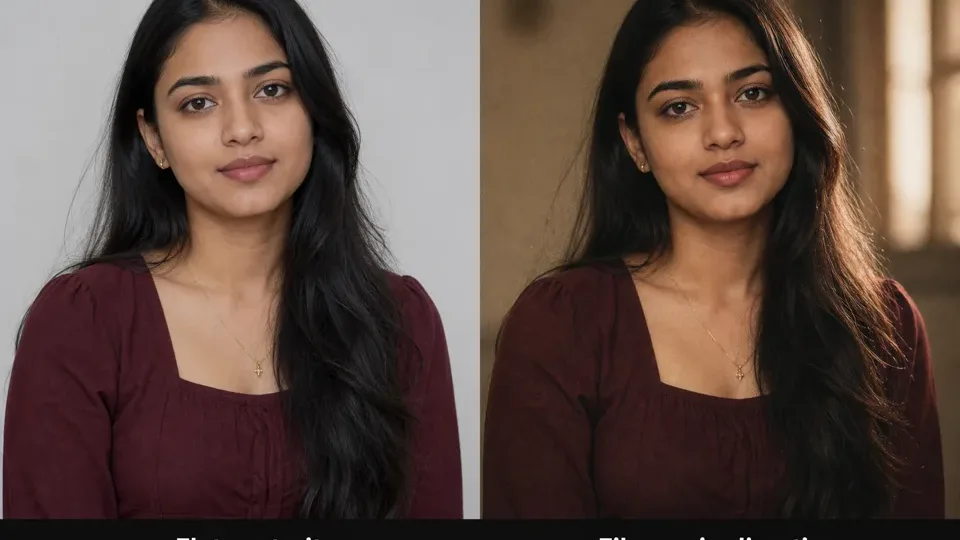
Synthetic before-after preview for film grain portrait ideas: flat portrait direction → warm highlights, soft shadows, subtle grain, and editorial crop.Synthetic illustrative preview only. AIEditorRSPEditing provides text prompts, settings, and manual workflow guidance; no upload, no generation on this site, no download, no official template or preset file, and no same-face guarantee.
cinematiclow
Film Grain Portrait Recipe
Best for: Cinematic portrait + Lightroom pairing
Create a realistic RSP-style film portrait with warm highlights, soft shadows, subtle grain, natural skin texture, 50mm lens look, shallow depth of field, clean background, editorial social media composition.
Synthetic before-after preview for Lightroom-style RSP editing recipes: flat color direction → warm teal-orange grade, softer contrast, and clearer portrait focus.Synthetic illustrative preview only. AIEditorRSPEditing provides text prompts, settings, and manual workflow guidance; no upload, no generation on this site, no download, no official template or preset file, and no same-face guarantee.
preset pairinglow
Before After Color Grade Prompt
Best for: Preset demo placeholder
Create a split before-and-after style RSP-inspired portrait preview: left side natural flat color, right side cinematic warm teal-orange color grade, realistic face, no text, no logos, clean comparison layout.
color gradeportrait typebackgroundlightingcomparison style
Use only as a visual concept; add labels manually if needed.
Original prompt; no actual preset file included.
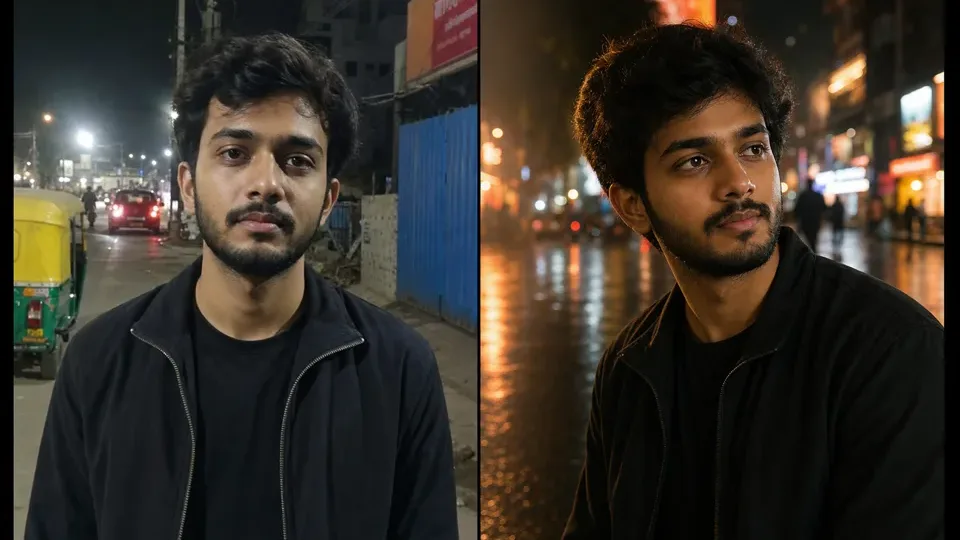
Synthetic before-after preview for AI boy RSP editing prompt ideas: plain portrait direction → cinematic street DP lighting, sharper crop, and social profile mood.Synthetic illustrative preview only. AIEditorRSPEditing provides text prompts, settings, and manual workflow guidance; no upload, no generation on this site, no download, no official template or preset file, and no same-face guarantee.
boylow
Cinematic Street Portrait Boy
Best for: Instagram DP, attitude portrait, street look
Create a cinematic RSP-style portrait of a young man standing on a neon-lit city street at night, wearing a black jacket, confident pose, soft rain reflections on the road, shallow depth of field, dramatic rim light, realistic skin texture, high-detail social media photo edit.
Works as a base prompt for ChatGPT image, Gemini image, Midjourney, or other AI image tools. Replace subject details before use.
Original prompt text only; do not use copyrighted celebrity likenesses or brand logos.
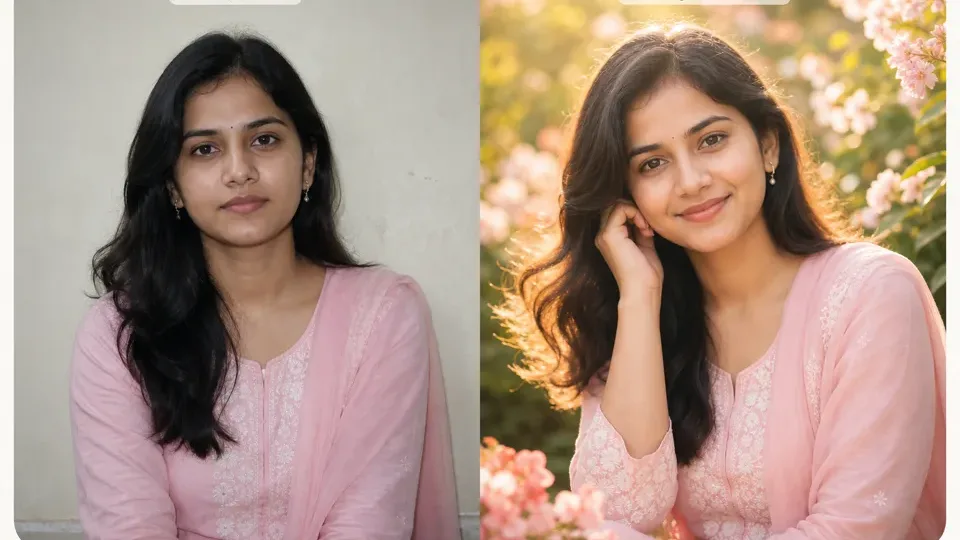
Synthetic before-after preview for AI girl RSP editing prompt ideas: simple portrait direction → soft floral light, pastel styling, and profile-ready framing.Synthetic illustrative preview only. AIEditorRSPEditing provides text prompts, settings, and manual workflow guidance; no upload, no generation on this site, no download, no official template or preset file, and no same-face guarantee.
girllow
Aesthetic Floral Girl Portrait
Best for: Aesthetic profile photo, soft portrait
Generate an RSP-style aesthetic portrait of a young woman in a pastel outfit, standing near soft flowers and warm sunlight, dreamy background blur, natural smile, cinematic color grading, detailed hair, realistic face, elegant social media photo edit.
outfit colorflower typetime of daymoodcamera lens
Add your own outfit and background details for a more personal result.
Original prompt text; use personal or licensed reference photos only if uploading elsewhere.
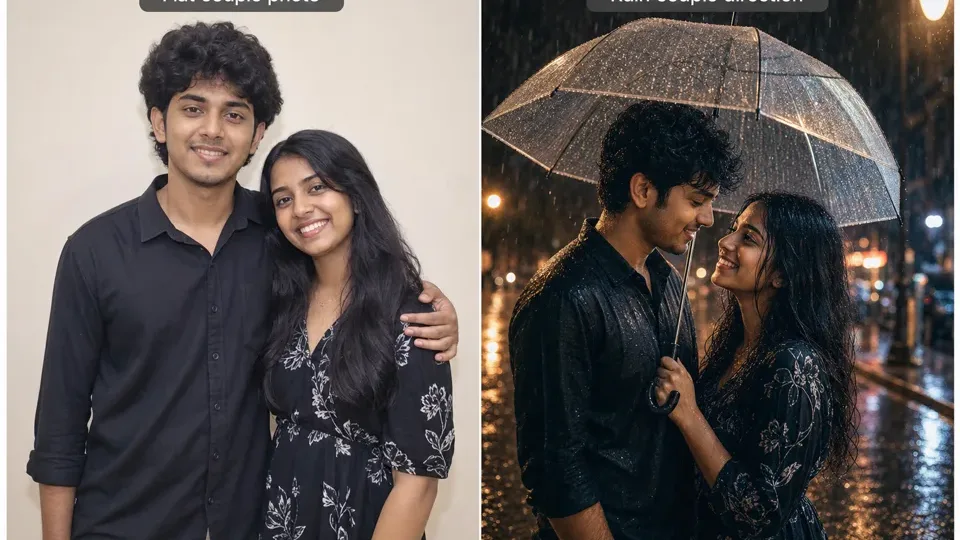
Synthetic before-after preview for couple photo prompt ideas: plain couple concept → romantic rain lighting, umbrella mood, and warm street bokeh.Synthetic illustrative preview only. AIEditorRSPEditing provides text prompts, settings, and manual workflow guidance; no upload, no generation on this site, no download, no official template or preset file, and no same-face guarantee.
couplemedium
Romantic Rain Couple Edit
Best for: Couple photo, romantic reel cover
Create a romantic RSP-style couple portrait in gentle rain, two people standing close under a transparent umbrella, warm street lights, cinematic reflections, soft bokeh, realistic emotions, high-detail photo edit, social media ready composition.
couple outfitumbrella stylecity/street backgroundrain intensitycolor tone
Use for couple edits; avoid using real people without consent.
Only use consented couple photos or fictional subjects.
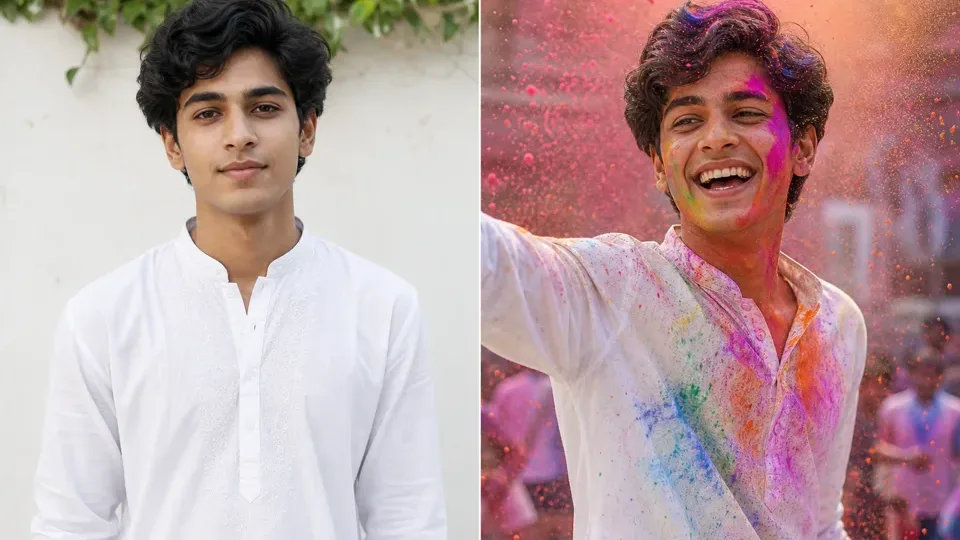
Synthetic before-after preview for Holi RSP editing prompt ideas: plain portrait direction → bright festival color, powder burst, and respectful festive styling.Synthetic illustrative preview only. AIEditorRSPEditing provides text prompts, settings, and manual workflow guidance; no upload, no generation on this site, no download, no official template or preset file, and no same-face guarantee.
festival holimedium
Holi Color Burst Portrait
Best for: Holi festival post, colorful DP
Create an RSP-style Holi festival portrait with vibrant colored powder in the air, joyful expression, white traditional outfit with colorful stains, bright daylight, dynamic motion, realistic face, cinematic festive color grading, high-detail social media photo.
outfitpowder colorsbackground crowd or solomoodcamera angle
Keep cultural respect in wording; avoid stereotypes or offensive elements.
Prompt only; no festival stock image is included.
Make it your own
Change the subject, outfit, background, lighting, camera angle, and mood.
Use the prompt as a starting point. Swap in your own scene details, avoid copied creator material, and check the output before posting.
Are AI Editor RSP Editing Lightroom presets files available here?
No. This page provides manual Lightroom-style color recipes only. It does not host preset files, DNG files, XMP files, APKs, mods, creator packs, copied assets, or download mirrors.
How should I use these settings with an AI Editor RSP Editing prompt?
Use the prompt first to define the subject, outfit, background, lighting, and mood. After the image or edit is ready, crop it for DP or social format, then apply the manual color recipe and adjust per photo.
Can these recipes guarantee the same look on every photo?
No. They are starting settings only. Results vary by original photo, tool, exposure, skin tone, background color, and manual adjustment.